
Crimson Desert, Pearl Abyss’s epic open-world action-adventure RPG (launched in early 2026), features a robust appearance customization system for its three playable characters: Kliff (main protagonist), Oongka/Unka (the burly companion), and Dain (the agile secondary). Unlike many RPGs, there’s no full character creator at the start—you play as predefined heroes—but you can later personalize their looks with new hairstyles, hair colors, beards (for male characters), eyebrows, face tattoos, and body tattoos via the in-game barber.
This system adds replay value and personal flair, especially for screenshots, multiplayer elements, or just refreshing your vibe during long exploration sessions across Pywel’s harsh landscapes. Changes apply to the current character you’re controlling and persist across switches (e.g., customize Kliff’s wild hair one day, then give Oongka a fierce new beard the next).
This complete guide (updated for March 2026 patches) explains the barber location, exact unlock steps, what you can change, and tips for Delhi players grinding on PC or mobile during commutes (note: Crimson Desert is primarily PC/console, with potential mobile ports rumored).
What You Can Customize at the Barber
The barber (named Eric) offers these options for all playable characters (with some character-specific limits):
- Hairstyle and Hair Color—Multiple styles (e.g., at least 6 for Kliff: short cropped, long flowing, messy warrior looks). The full color palette includes natural tones (brown, black, gray) plus vibrant ones (red, amber, green, blue, purple, pink, and deep crimson).
- Beard Style and Color—Available for Kliff and Oongka (male characters). Options range from clean-shaven to full beards, mustaches, goatees, or stubble—plus color-matched hair.
- Eyebrow Style and Color—All characters (Kliff, Oongka, Dain) can tweak shape (thick, arched, thin) and color for subtle facial expression changes.
- Face Tattoos—Character-specific designs (e.g., Oongka has at least 13 confirmed tribal/warrior patterns; others have their own sets). Customizable colors for added flair.
- Body Tattoos—Additional designs on arms, chest, and back—also color-tweakable.
Note: No full facial reconstruction or body type changes—customization builds on preset models. Tattoos and beards are more limited for Dain (no beard option).
These changes are free (no gold cost) and instant—perfect for experimenting!
Barber Location
The primary (and most convenient) barber is Eric inside your Greymane’s Camp (your main faction hub/base, unlocked early in the story).
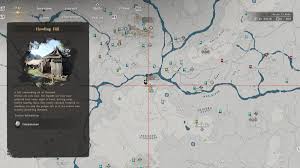
- Exact Spot—In a dedicated tent/shop marked by a scissors and comb icon on the map.
- Position—Near the general store, east of the ranch/farm area in the camp layout.
- Other Locations—Additional barbers appear in some towns/settlements (e.g., near Hernand or other hubs) for convenience when you’re far from camp, but the Greymanes one is the first and most reliable.
Camp upgrades expand facilities, making Eric’s shop more prominent as you progress.
How to Unlock the Barber (Step-by-Step)
You can’t access customization immediately—it’s tied to faction progression.
- Advance the Main Story—Play through early chapters until you fully unlock and establish the Greymanes Camp as your base (after initial mercenary struggles and arriving in key areas).
- Start the Solid Foundation Questline—This is the camp expansion arc. Complete initial side quests and upgrades for the Greymanes faction.
- Reach and complete “A Rumor at the Inksworth Bindery”—This specific side quest (part of Solid Foundation) introduces Eric. Follow the objectives: investigate rumors, visit the Inksworth Bindery location, meet Eric, and recruit/bring him to camp.
- Eric Arrives—After quest completion, Eric sets up his tent in Greymane’s Camp. Interact with him to open the customization menu.
- Optional Camp Upgrades—Continue faction quests to expand the camp further—unlocks more options, nearby vendors (like dye houses for armor recoloring), and potentially additional barbers in allied settlements.
Pro Tip: Focus on Greymane’s side quests early—they’re rewarding and unlock hubs quickly. If stuck, check your journal for the “Solid Foundation” chain.
Tips for Using the Barber Effectively
- Switch Characters—Customization is per-character: play as Kliff to tweak his look, and swap to Oongka for his options.
- Preview Changes—The menu lets you preview in real time—rotate the model and test colors before confirming.
- Combine with Dye System—Unlock the Dyehouse (also in camp via similar quests) to recolor armor, weapons, mounts, and even your War Robot for full aesthetic synergy.
- No Cost, No Limits—Revisit Eric anytime for free changes—no cooldown or penalty.
- Hide Helmets—In the settings or equipment menu, toggle helmet visibility to show off your new hair/beard/tats in cutscenes and gameplay.
For Delhi players on Asia servers (if multiplayer elements expand), low ping helps with camp travel and quests. Farm side content during evening sessions—customization unlocks around the early-mid game, so push the story!
Mastering the barber lets you make Kliff look like a battle-hardened legend, Oongka a tattooed warrior, or Dain a sleek operative. Dive into Greymane’s quests, find Eric, and personalize your desert saga!